
Squarespace pricing plans start at $16/mo (Basic) and go up to $99/mo (Advanced), making it easy to build and grow blogs, portfolios, businesses, and online stores.
How Much Does Squarespace Cost In 2026?
Here’s a breakdown of Squarespace pricing in 2026, ranging from $16/month to $99/month.
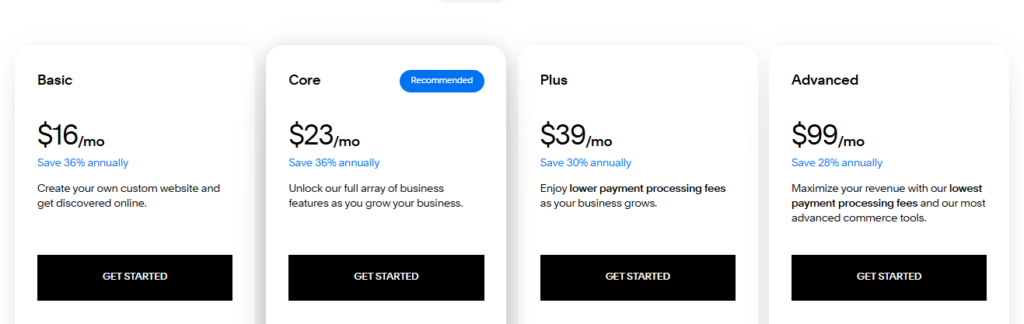
Squarespace Basic Plan
Price: $16/month (billed annually)
- Ideal for personal websites, blogs, and portfolios
- Mobile-optimised design that looks great on any device
- SSL security to protect your site and visitors
- Access to essential features like customizable layouts, blogging tools, and basic analytics
- Perfect for individuals who want a simple, professional, and secure online presence at an affordable price

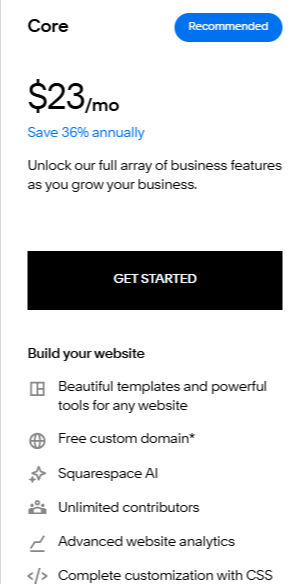
Squarespace Core Plan
Price: $23/month (billed annually)
- Ideal for small businesses and growing websites
- Adds eCommerce options for selling products online
- Supports unlimited contributors for team collaboration
- Includes analytics to track site performance and growth
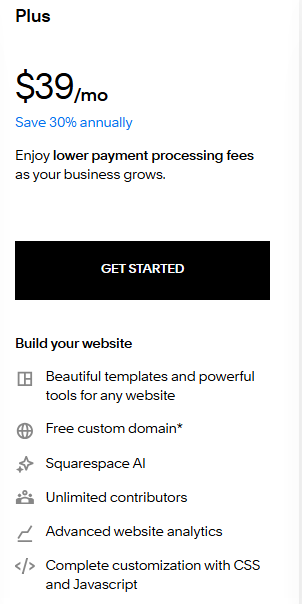
Squarespace Plus Plan
Price: $39/month (billed annually)
- Designed for expanding online stores
- Adds customer accounts to improve the shopping experience
- Includes advanced marketing tools to boost sales and engagement
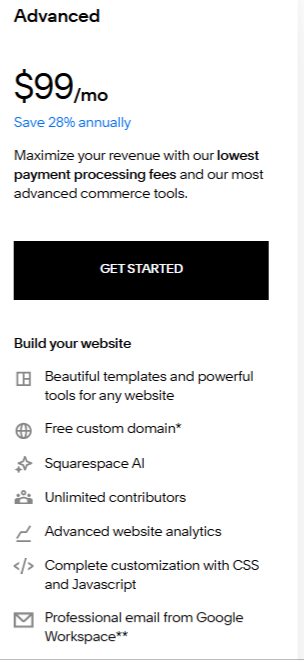
Squarespace Advanced Plan
Price: $99/month (billed annually)
- Best for high-volume eCommerce businesses
- Includes abandoned cart recovery to increase conversions
- Offers the lowest transaction fees and advanced shipping options
Squarespace Monthly Billing Options (without annual discount):
- Basic: $25/month
- Core: $36/month
- Plus: $56/month
- Advanced: $139/month
Here’s a detailed comparison of Squarespace pricing, including both monthly and yearly plans.
| Squarespace Plan | Squarespace Annual Price | Squarespace Monthly Price | Best For |
|---|---|---|---|
| Basic | $16/mo | $25/mo | Personal sites & blogs |
| Core | $23/mo | $36/mo | Small businesses & growing sites |
| Plus | $39/mo | $56/mo | Expanding online stores |
| Advanced | $99/mo | $139/mo | High‑volume eCommerce |
Squarespace pricing lets you select the right plan for your needs, from a personal site to a professional store, with annual plans offering the best value and added perks.
Note: You can save up to 50% by using a Squarespace promo code at checkout on website plans, domains, and eCommerce tools.
How To Sign Up For Squarespace?
Follow these 5 simple steps to sign up for Squarespace.
Step 1: Go to Squarespace’s official website and click on the Get Started Button.

Step 2: Select your website niche that fits your website style or business.
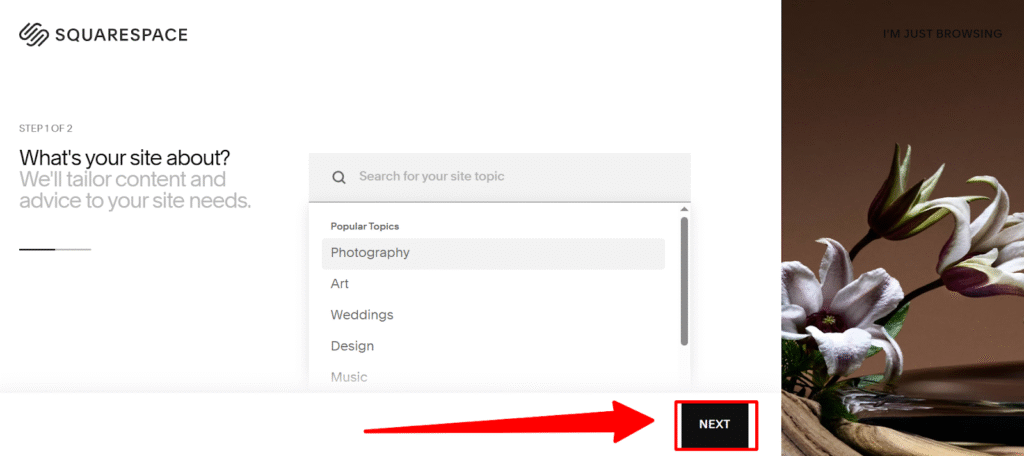
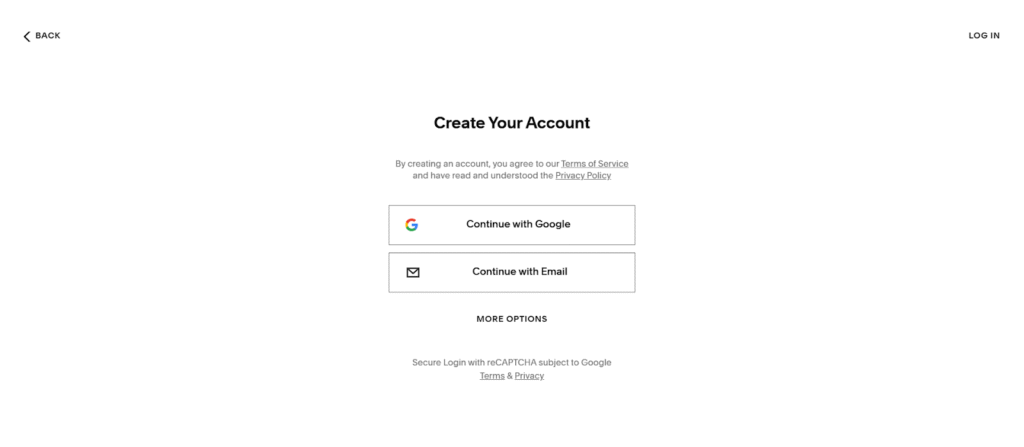
Step 3: Create an account by entering your email, password, and name to set up your account.
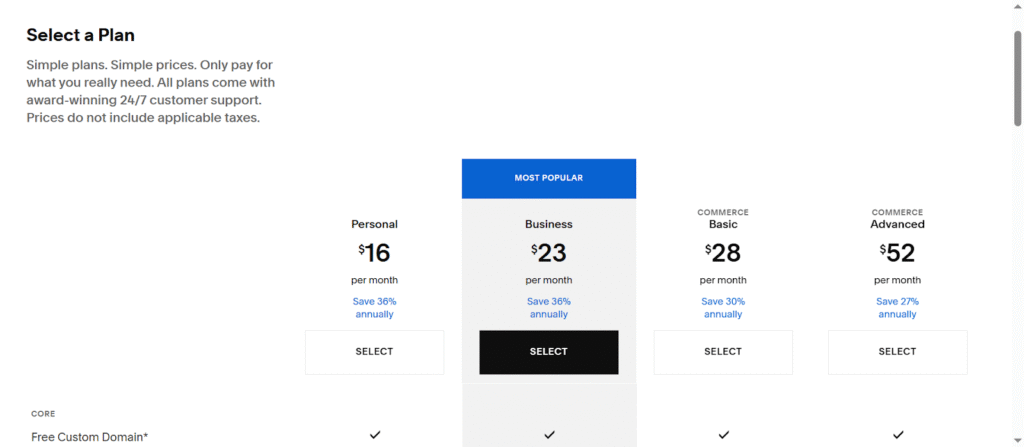
Step 4: Select a plan that suits your needs: Basic, Core, Plus, or Advanced, and choose between monthly or annual payments.
Step 5: Finally, enter your payment details and complete the purchase using PayPal, credit, or debit card.
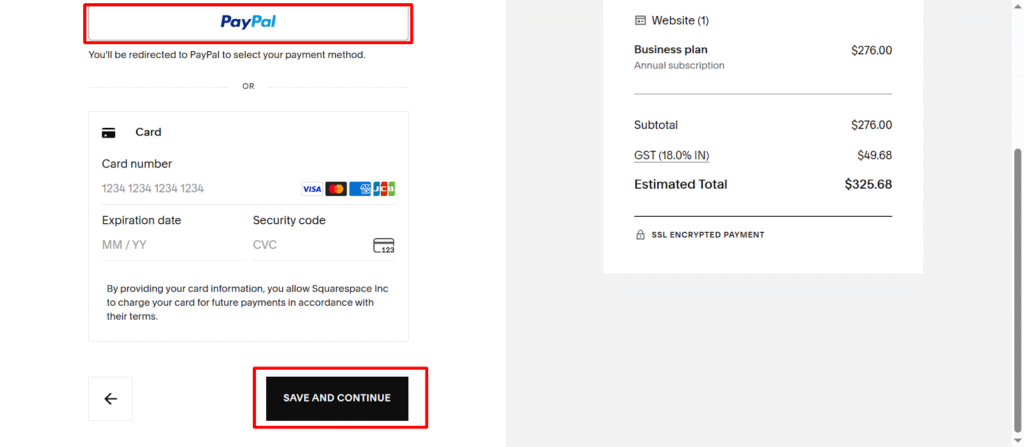
That’s it! You’ve successfully signed up for Squarespace and accessed great savings on building your professional website.
What Are The Key Features Of Squarespace?
Squarespace provides powerful features to build, manage, and grow your website all in one place:
- Drag‑and‑Drop Builder: Design your site visually without coding by moving elements like text, images, and videos into place.
- Professional Templates: Choose from beautiful, mobile‑friendly templates that automatically adjust to phones, tablets, and desktops.
- Custom Domains: Register and manage custom domain names directly through Squarespace for a professional web address.
- Built‑In Hosting & Security: Get fast, reliable hosting and free SSL certificates to keep your site secure and running smoothly.
- eCommerce Tools: Sell products online with secure checkout, inventory management, order tracking, and integrated payment options.
- Marketing & SEO Tools: Use built‑in SEO, email campaigns, and analytics to grow your audience and track performance.
- 24/7 Support: Access expert customer support any time you need help.
These features make Squarespace a complete platform for blogs, portfolios, business sites, and online stores.
Which Squarespace Pricing Plan Is Right For You?
Choose the Squarespace plan that matches your goals, budget, and website needs.
Here are the tips to help you choose the best Squarespace pricing plan.
- Basic Plan: Best for personal blogs, portfolios, or simple websites. It includes essential tools, SSL security, and mobile-friendly designs at an affordable price.
- Core Plan: Ideal for small businesses. It offers basic eCommerce features, unlimited contributors, and built-in analytics to track performance.
- Plus Plan: Designed for growing online stores with customer accounts, advanced promotions, and stronger marketing tools to boost sales.
- Advanced Plan: Built for high-volume eCommerce with features like abandoned cart recovery, advanced shipping options, and lower transaction fees.
Start with the plan that fits your needs today, and upgrade anytime as your website and business grow.
How To Save More On Squarespace?
You can save on your Squarespace costs with these smart strategies:
- Pay Annually: Choose an annual plan to save up to 40% and get a free custom domain for the first year.
- Use Promo Codes: Apply active Squarespace promo codes to get extra discounts on websites, domains, or eCommerce plans.
- Grab Black Friday/Cyber Monday Deals: Squarespace offers up to 50% off annual plans during major sales events like Squarespace Black Friday and Cyber Monday deals. Act fast to maximise savings.
- Claim the Student Discount: Verified students and educators can get 50% off annual plans with the Squarespace student discount, one of the biggest savings available.
- Bundle Services: Register domains and host your site through Squarespace to cut extra costs and simplify management.
Using these strategies, you can build a professional website while keeping costs low.
Is Squarespace Really Worth It In 2026?
Yes. Squarespace delivers a professional, all-in-one website platform that combines design, hosting, and advanced tools in one place.
It provides 100+ designer templates, a drag-and-drop editor, built-in SEO and analytics, eCommerce features, and 24/7 support, all without coding.
You can try it free for 14 days, and annual plans include a free custom domain and significant savings. Whether you build a blog, portfolio, or online store, Squarespace lets you create, manage, and grow your website efficiently, making it a smart and cost-effective choice.
Conclusion
Squarespace provides a complete set of tools to build, manage, and grow your website. Its pricing includes templates, features, and hosting in one platform, so you don’t need technical skills. Plans range from personal websites to advanced eCommerce, giving you flexibility as you grow.
Annual plans usually offer better savings and include extras like a free custom domain. If you want a professional, easy-to-manage website with strong features, Squarespace offers solid value for the price.
FAQs On Squarespace Pricing
What Is Squarespace Cost Per Month?
Squarespace pricing ranges from $16 to $99 per month with annual billing, and $25 to $139 per month when billed monthly.
Is Squarespace Free?
Squarespace does not offer a fully free plan, but you can try it free with a 14-day trial. The trial gives you access to all the website-building tools, templates, and features, allowing you to test the platform and design your site before committing to a paid plan.